How to Delete Game Pigeon

Game Pigeon has no Home Screen icon, so you delete it from Settings instead.

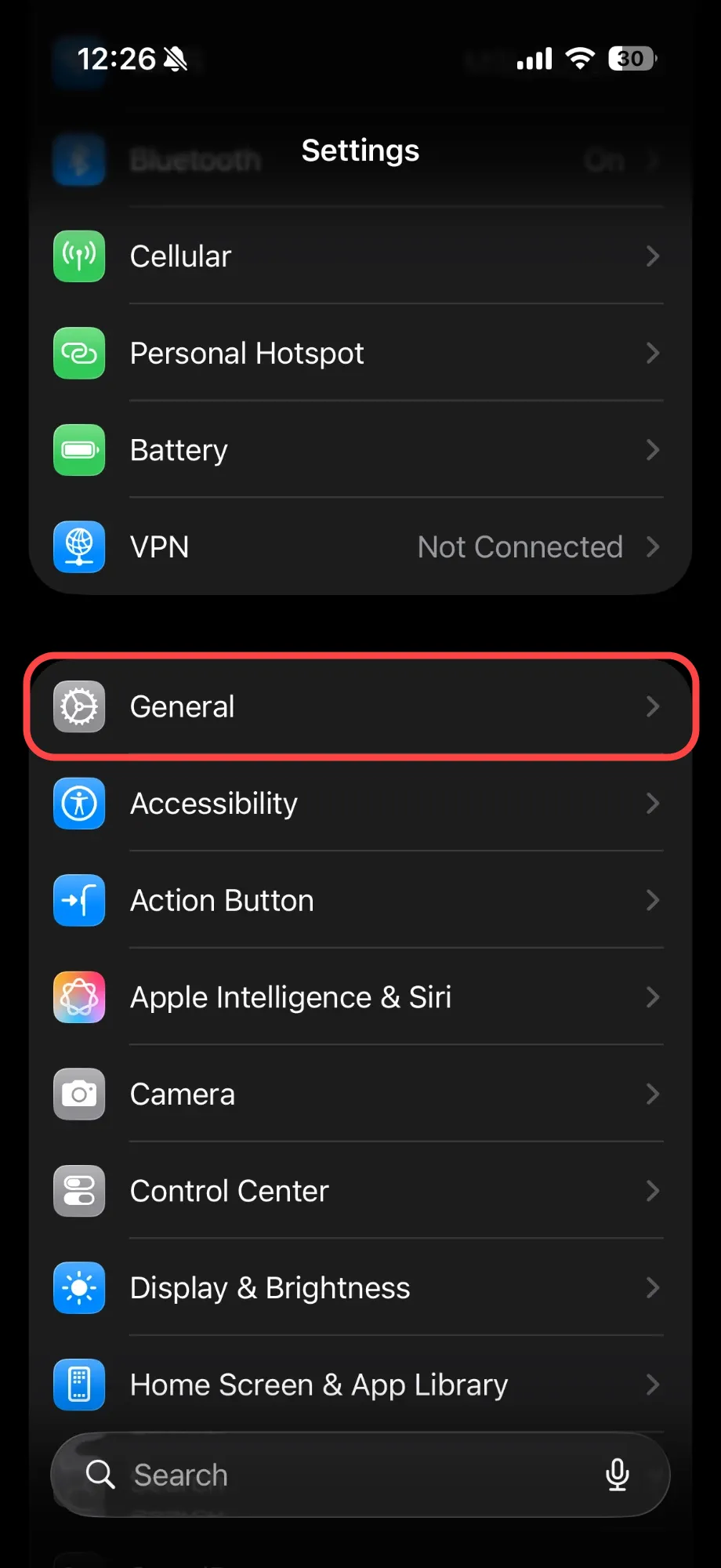
  1. Open Settings and tap General.

    iPhone Settings with General highlighted
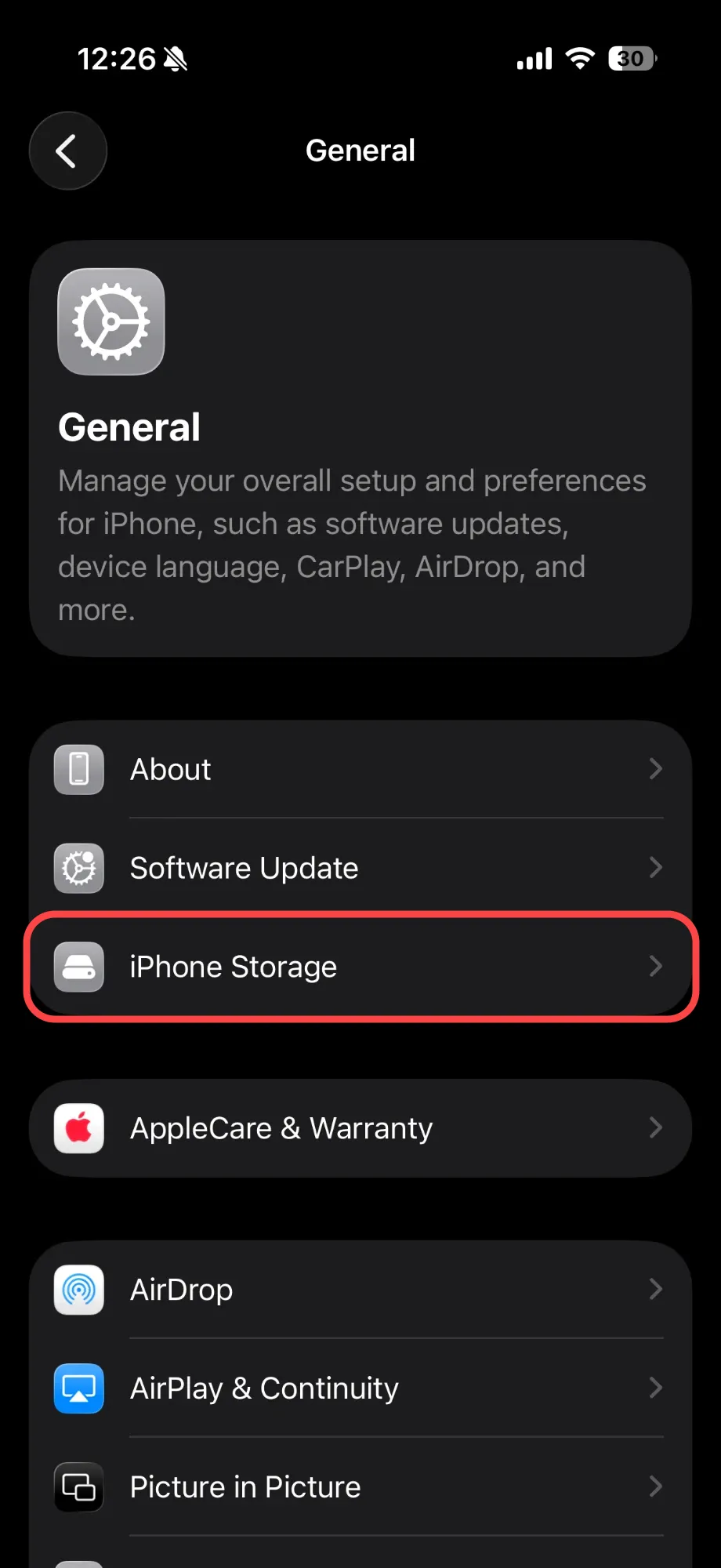
  2. Tap iPhone Storage.

    General settings with iPhone Storage highlighted
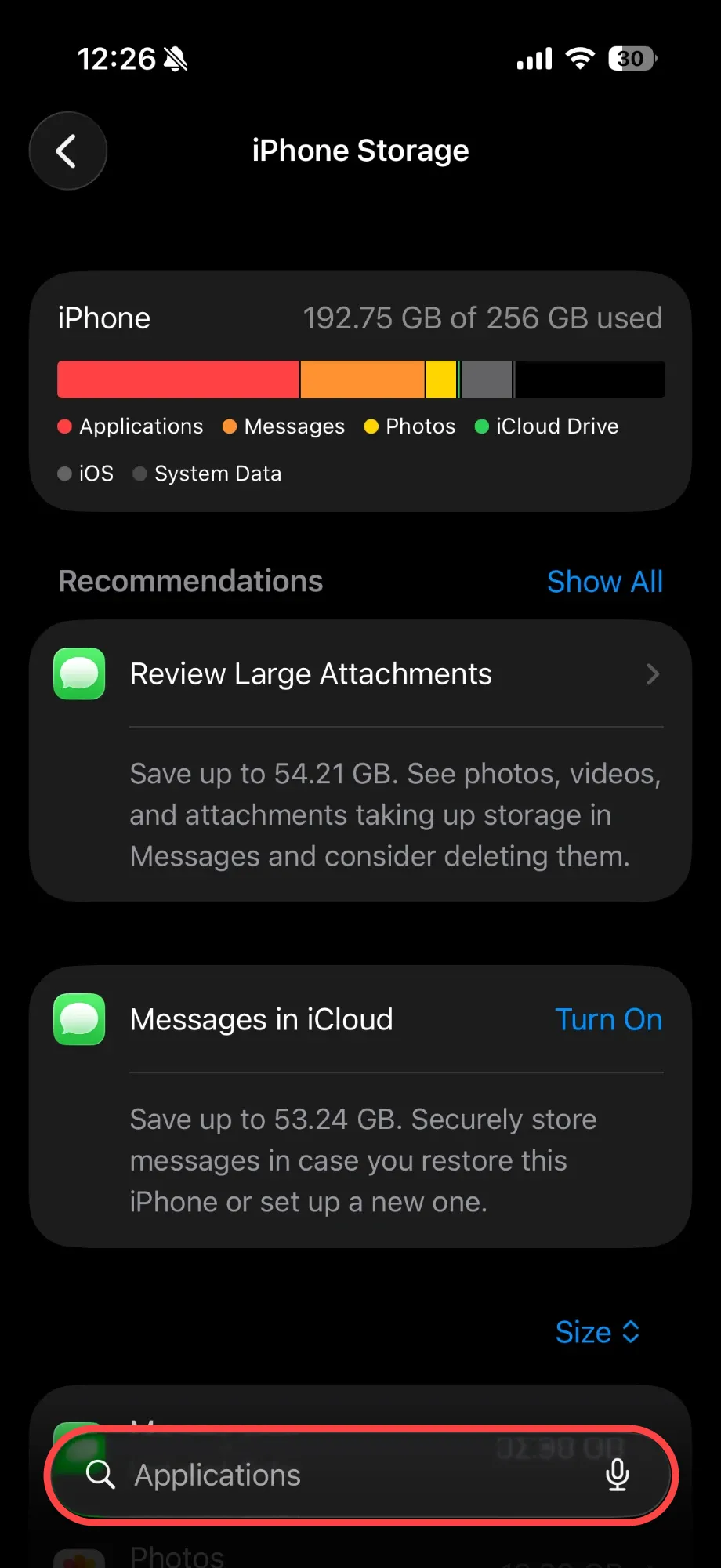
  3. Tap the search bar at the bottom.

    iPhone Storage with the search bar highlighted
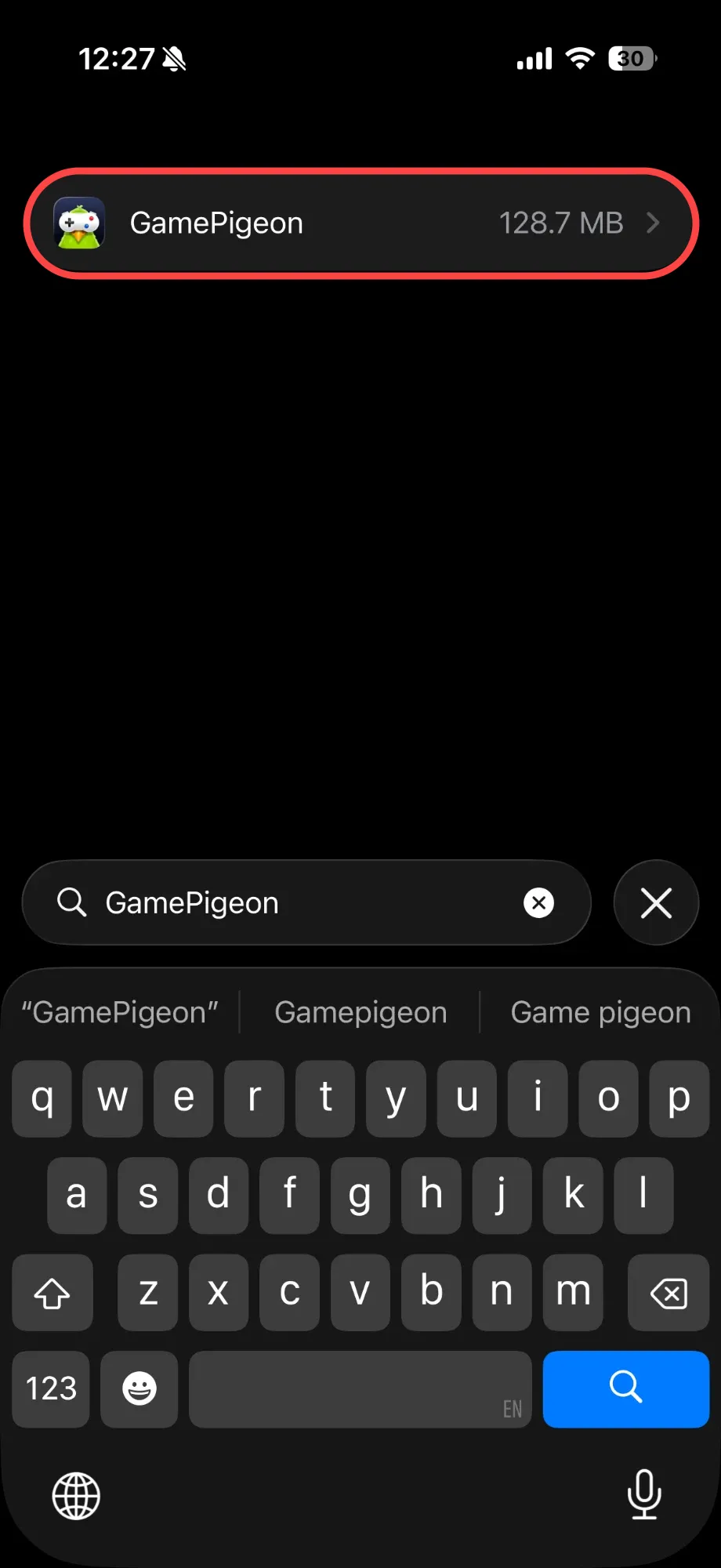
  4. Search GamePigeon and tap it.

    Search results showing GamePigeon
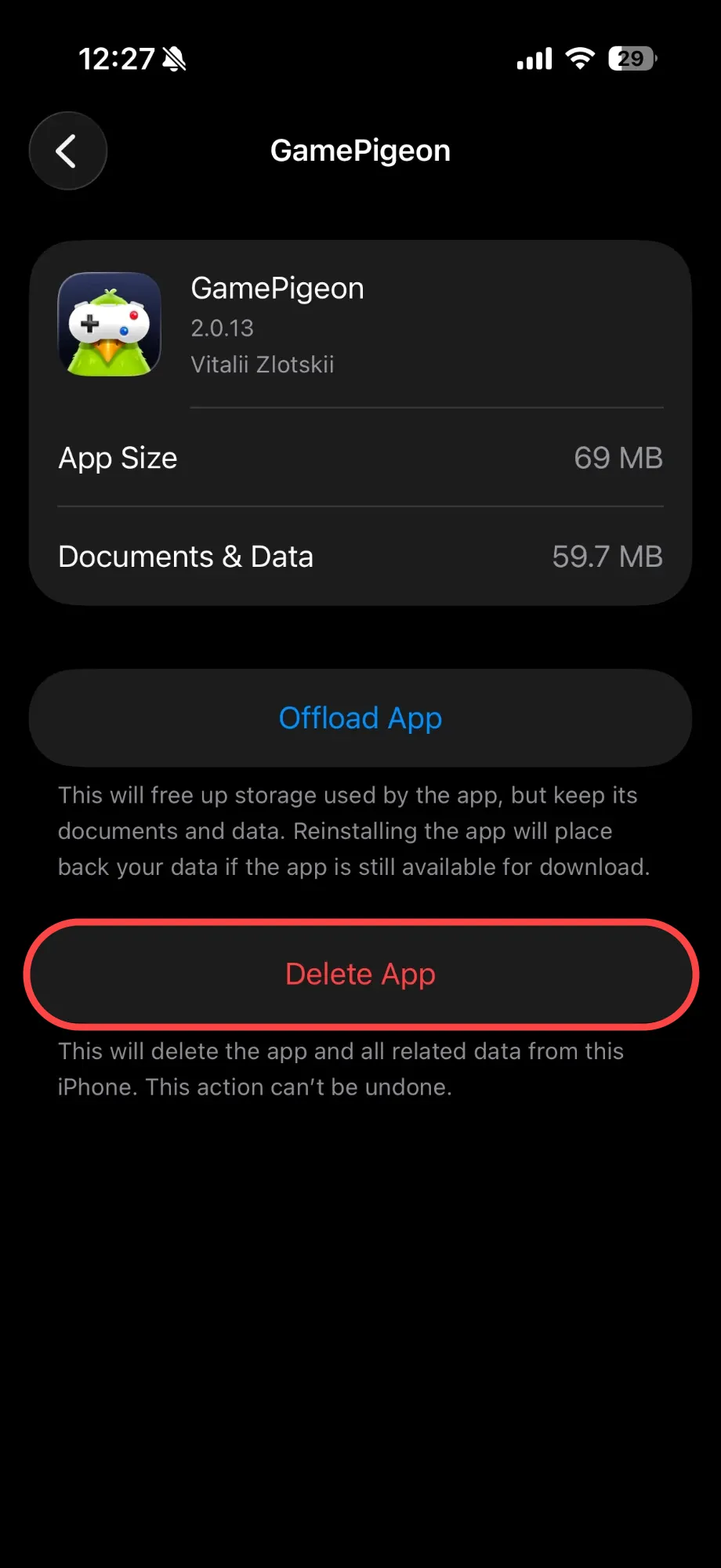
  5. Tap Delete App.

    GamePigeon storage page with Delete App highlighted
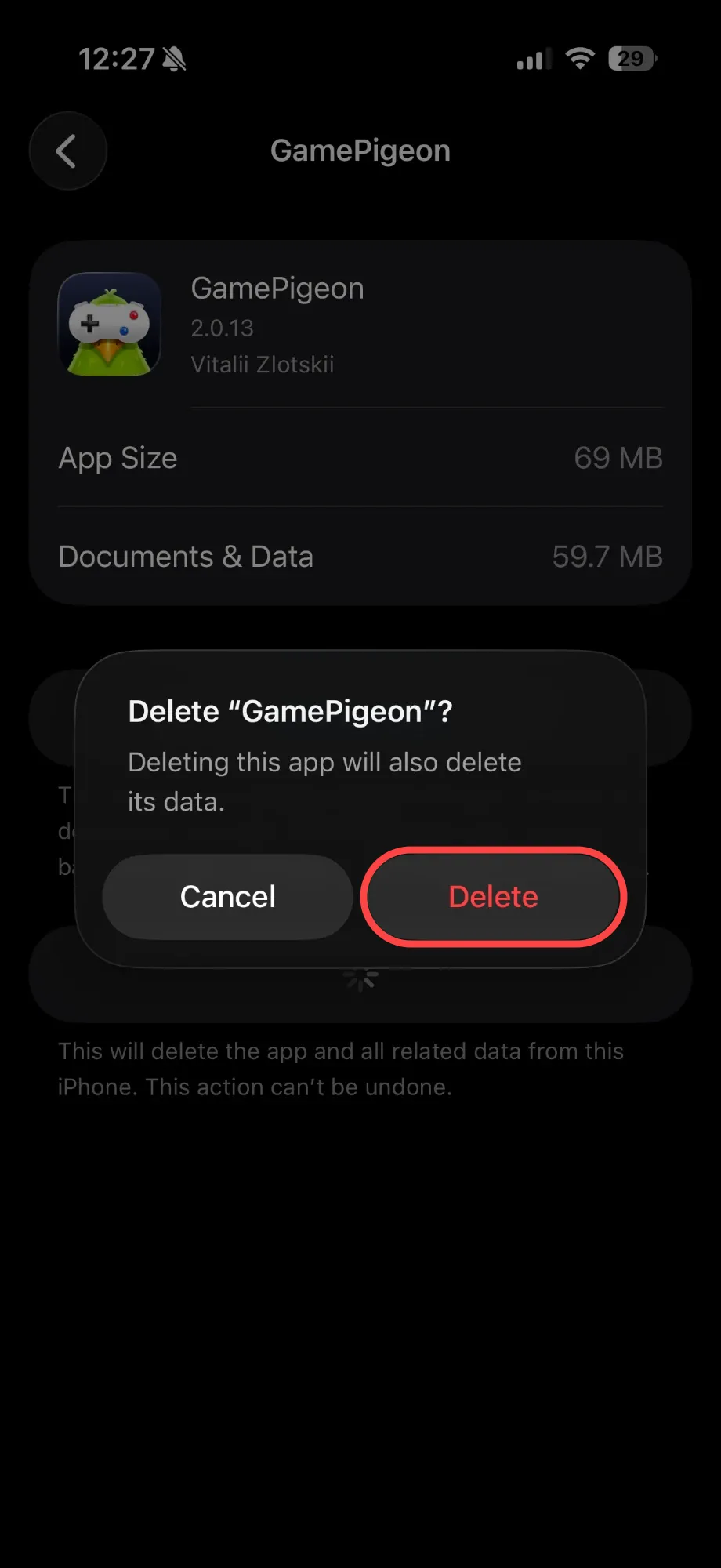
  6. Tap Delete to confirm.

    Delete GamePigeon confirmation with Delete highlighted